

Unit Conversion#
The figure-scale library provides a flexible unit conversion system that allows you to work with different measurement units and even define your own custom units. Let’s explore how to work with the unit conversion system, but first, we need to import the necessary components:
import matplotlib.pyplot as plt
import figure_scale as fs
import math  # this is used to get demonstration data
Built-in Units#
The UnitConversionMapping is a dict-like class that holds all conversion factors to inches, the unit matplotlib operates on. It follows the Singleton pattern to ensure that only one instance exists, and any update from end-users reflect on all references, including the internal details on FigureScale. You can access it to view existing units or add new ones:
unit_mapping = fs.UnitConversionMapping()
Let’s examine what units are available by default:
print("Built-in units and their conversion factors to inches:")
for unit, factor in unit_mapping.items():
    print(f"  {unit:>8}: {float(factor):>8.4f} inches")

print(f"\nTotal number of units: {len(unit_mapping)}")
Built-in units and their conversion factors to inches:
        in:   1.0000 inches
        ft:  12.0000 inches
        yd:  36.0000 inches
         m:  39.3701 inches
        cm:   0.3937 inches
        mm:   0.0394 inches
        pt:   0.0139 inches

Total number of units: 7
Adding Custom Units#
One of the powerful features of the unit conversion system is the ability to add your own custom units. You can define any unit with its conversion factor to inches.
Let’s add a custom unit called my_unit with a conversion factor of 2.0 (meaning 1 my_unit = 2 inches):
unit_mapping["my_unit"] = 2.0
Just to double-check it was indeed added:
"my_unit" in unit_mapping
True
Using Custom Units with FigureScale#
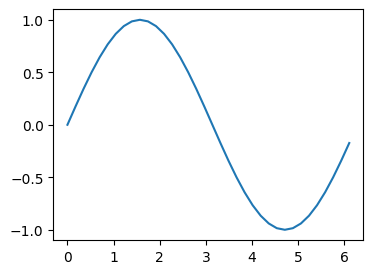
Now that we’ve added our custom unit, we can use it with FigureScale just like any built-in unit. Let’s create a figure using our custom unit and some demo data:
demo_figure_size = fs.FigureScale(units="my_unit", width=2, height=1.5)
x = [i * math.pi / 180 for i in range(0, 360, 10)]
y = [math.sin(i) for i in x]
This creates a figure in our custom unit system, and generates sine wave data for demonstration:
fig, ax = plt.subplots(figsize=demo_figure_size)
ax.plot(x, y);